
1 November 2026
Bringing SaaS MCP servers under governance with the server catalog
Vendor MCP servers are arriving faster than policy. The server catalog gives you a governed way in, with the same ownership, visibility, guardrails and records as your internal systems.
By MCP Connect
Vendor MCP servers are arriving faster than policy
Datadog, New Relic, ServiceNow and many other vendors now publish their own MCP servers. That makes it easy for anyone to connect an AI tool to them, and hard for anyone to say afterwards who connected what, with which credentials.
MCP Connect's server catalog gives you a governed way in. You add a vendor's server once, from a curated entry, and from then on it gets the same ownership, visibility, guardrails and records as your internal systems. This article shows how, using the MCP Connect example environment.
What the catalog holds
The catalog in the example environment lists 141 MCP servers across 45 categories, from project management and payments to cloud, security and observability. Each entry records the server's endpoint, its transport, how it authenticates (open, API key, OAuth 2.1, or OAuth 2.1 and API key) and a link to the vendor's documentation.
Filter by category to see what is available for a job. The Observability category holds six entries:
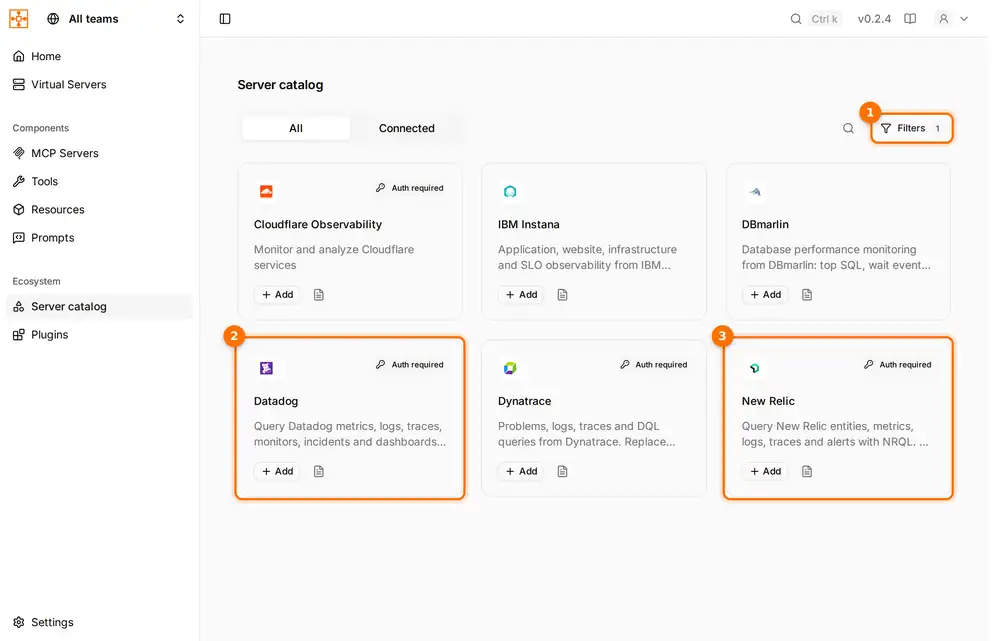
The catalog filtered to Observability: Cloudflare Observability, IBM Instana, DBmarlin, Datadog, Dynatrace and New Relic. (1) One filter applied. (2) Datadog and (3) New Relic, both OAuth 2.1 entries marked "Auth required".
Adding Datadog, New Relic or ServiceNow
Each catalog entry already carries the vendor's details, so adding one is mostly a matter of choosing a region or instance and signing in. From the entries in the example environment:
| Vendor | Auth | Endpoint in the entry | Notes from the entry |
|---|---|---|---|
| Datadog | OAuth 2.1 | mcp.datadoghq.com/v1/mcp | US1 site; other sites use mcp.<site>/v1/mcp, for example mcp.datadoghq.eu |
| New Relic | OAuth 2.1 | mcp.newrelic.com/mcp/ | US endpoint; EU and JP use mcp.eu.newrelic.com and mcp.jp.newrelic.com |
| ServiceNow | OAuth 2.1 | Your instance's MCP Server Console URL | Replace the instance and server names; needs ServiceNow's MCP Server Console app and an eligible ServiceNow licence |
For OAuth 2.1 entries, MCP Connect saves the provider's OAuth settings when you register the server, encrypts any client secret, and stores and refreshes the resulting tokens on the gateway. Where the provider supports dynamic client registration, as Datadog's entry does, there is no client ID to create by hand.
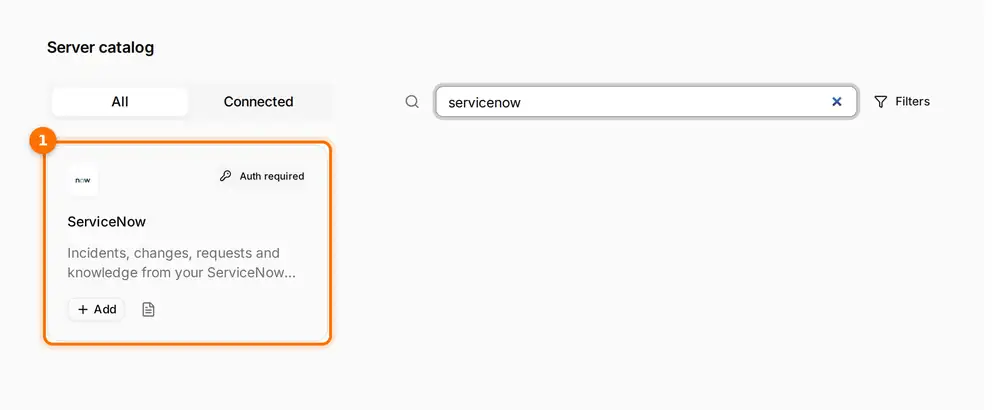
(1) The ServiceNow entry: incidents, changes, requests and knowledge from your ServiceNow instance, added from the catalog with an OAuth sign-in.
After Add: the same controls as an internal system
Once added, a vendor's server is an MCP server like any other in MCP Connect:
- Owned and scoped. It gets an owning team and a visibility level, so ServiceNow can be visible to the IT operations team only.
- Discovered. Its tools are discovered with their input schemas, and you decide which ones go into which virtual server.
- Guarded. The same plugins apply: PII masking on results, secrets detection on arguments, rate limits on calls.
- On the map. It appears on the dependency map, so you can see which assistants depend on it.
- Recorded. Calls to it land in the activity feed, and in your SIEM if export is switched on.
The vendor's credentials stay on the gateway. People connect their AI tools to a virtual server with a scoped MCP Connect token, rather than with the Datadog or ServiceNow sign-in itself.
A checklist for SaaS MCP servers
- Add vendor MCP servers from the catalog, not directly into individual AI tools.
- Give each one an owning team and the narrowest visibility that works.
- Put only the tools each use case needs into its virtual server.
- Apply your guardrail plugins to vendor servers as well as internal ones.
- Check the Connected tab in the catalog regularly to see what has been added.
Open the interactive demo, open the Server catalog and filter by Observability to see the entries described here.