
1 November 2026
Anatomy of a “where is my order?” request
One customer question, followed end to end: the checks, plugins, guardrails and records behind a single get_order call through MCP Connect.
By MCP Connect
One customer question, followed end to end
A shopper contacts the support desk: where is my order? The agent asks the Customer Service Copilot, which answers by calling two tools, get_order on the order-management system and track_shipment on the fulfilment system.
From the agent's side, that is one question and one answer. Inside MCP Connect, every tool call passes a series of checks on the way in, a set of guardrails on the way out, and leaves a record behind. This article follows one call through each step, using the MCP Connect example environment.
The path of one tool call
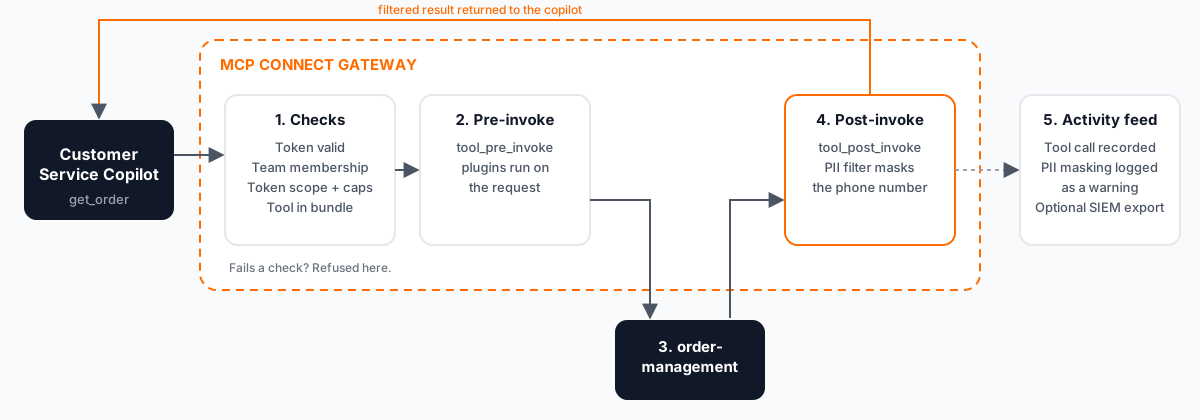
The call goes in through checks and pre-invoke plugins, the connected system answers, and post-invoke plugins filter the result before the copilot sees it. The rest of this article takes each step in turn.
Before the call: is this caller allowed?
The copilot connects to its virtual server's endpoint with an API token. Before get_order reaches order-management, the gateway checks:
- The token itself. It must be valid and unexpired, and it must not have been revoked.
- The token's team. The person behind the token must still belong to the team it was issued to.
- The token's scope. If the token is limited to one virtual server, a set of permissions, an IP range or allowed hours, the call must fall inside every limit. Per-hour and per-day request caps are checked too.
- The bundle. The tool must be part of this virtual server.
get_orderis in the Customer Service Copilot's bundle;get_fraud_scoreis not, so a request for it never reaches payments-risk.
A call that fails any check is refused at the gateway, before any connected system sees it.
On the way back: guardrails on the response
Guardrails in MCP Connect are plugins that sit in the data path. Each one attaches to hooks: tool_pre_invoke runs before a call is forwarded, and tool_post_invoke runs on the result before the assistant sees it.
In the example environment, the PII filter is switched on in enforce mode, so personal data in a tool result is masked before it leaves the gateway. An order record that contains a shopper's phone number reaches the copilot with that number masked.
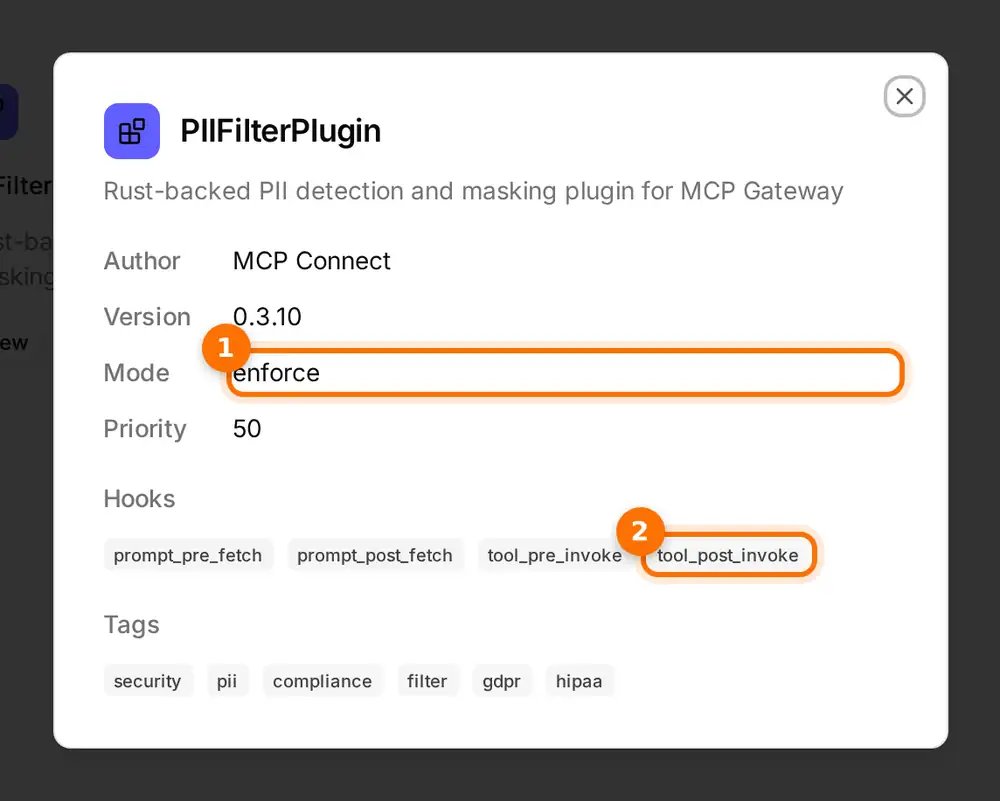
(1) The PII filter runs in enforce mode. (2) Its tool_post_invoke hook inspects every tool result before it is returned.
The filter runs on the gateway, so every assistant gets the same protection, whichever AI client or model it uses.
Afterwards: a record of what happened
The call leaves a trace in the activity feed: which tool was called, through which virtual server, and when. Guardrail actions are recorded next to it, so a masked phone number shows up as its own warning, not as a silent change.
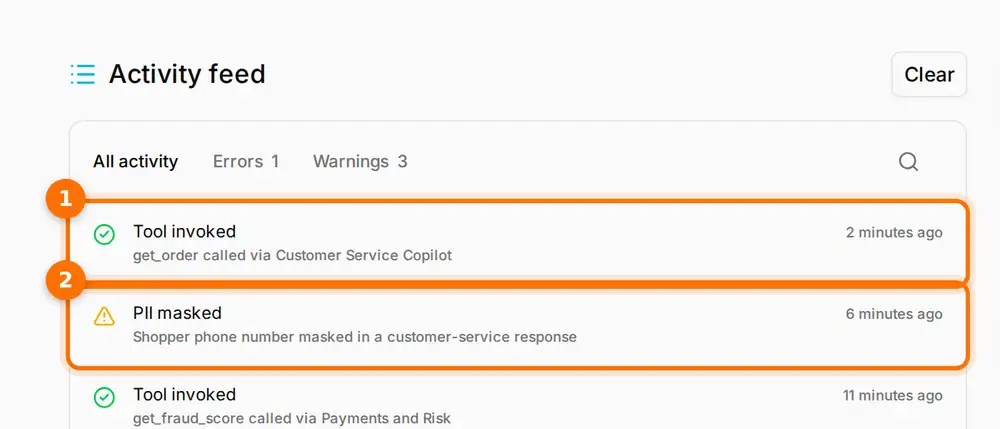
(1) get_order called through the Customer Service Copilot. (2) The PII filter masked a shopper's phone number in a customer-service response.
With export to a SIEM switched on, the gateway also sends its auth, security and audit events to your security monitoring, alongside the rest of your logs.
Why the path matters
The agent asked one question. Behind it, the gateway confirmed who was asking, kept the copilot inside its bundle, masked personal data and wrote down what happened. None of that logic lives in the copilot or the order system, so it stays the same when you change AI client, add an assistant or replace a back-end system.
Open the interactive demo to explore the Customer Service Copilot's tools, the plugins page and the activity feed.